
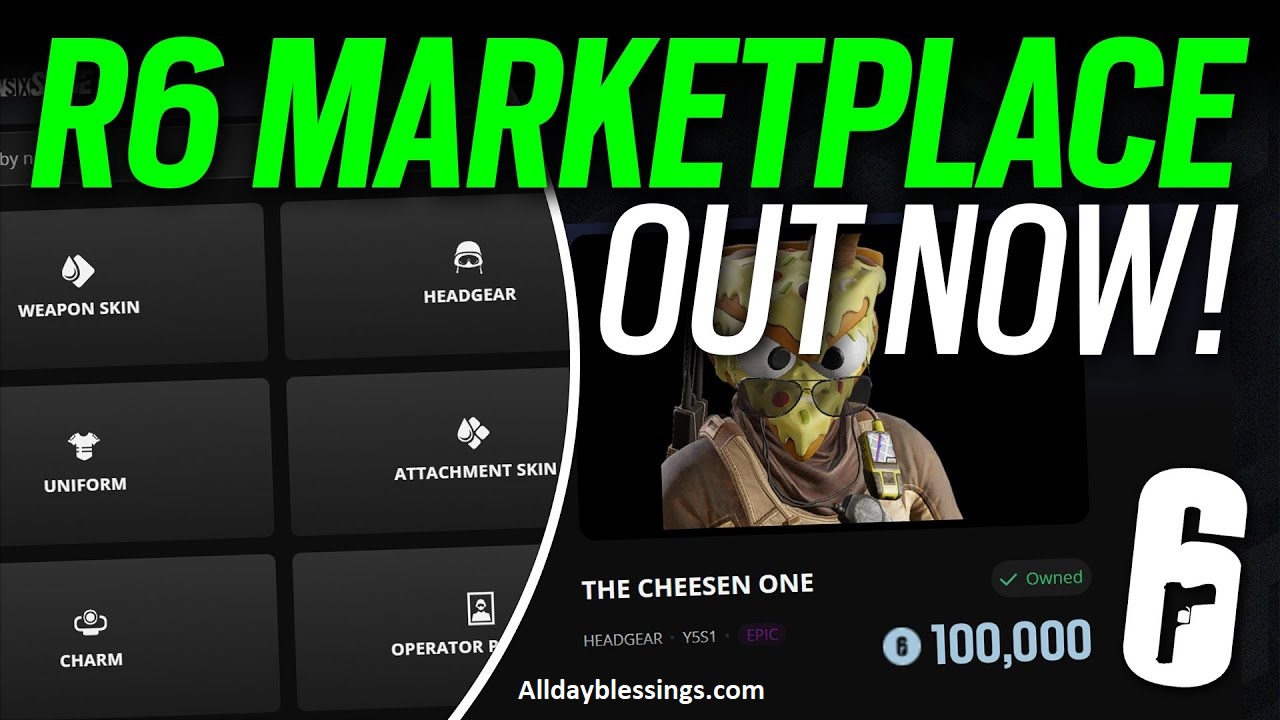
The Marketplace R6 has transformed how Rainbow Six Siege players handle their cosmetics. Whether you’re looking to buy R6 skins, sell R6 skins, or understand the complete R6 trading system, this comprehensive 2026 guide covers everything you need to master the Rainbow Six Siege Marketplace.
Unlike games like Counter-Strike 2 or Dota 2 that have had trading for years, Rainbow Six Siege only recently introduced this official trading platform. Now you can finally turn those unwanted weapon skins, operator uniforms, and other Siege cosmetics into R6 Credits or grab that elusive Black Ice skin you’ve been chasing.
Table of Contents
What is the R6 Marketplace? (Complete Overview)
The R6 Marketplace is Ubisoft’s official trading hub where players buy and sell cosmetic items using R6 Credits. Launched with the Siege X update, this Ubisoft Marketplace operates as a secure, regulated platform that keeps all transactions within the game’s ecosystem.
How the R6 Marketplace Works
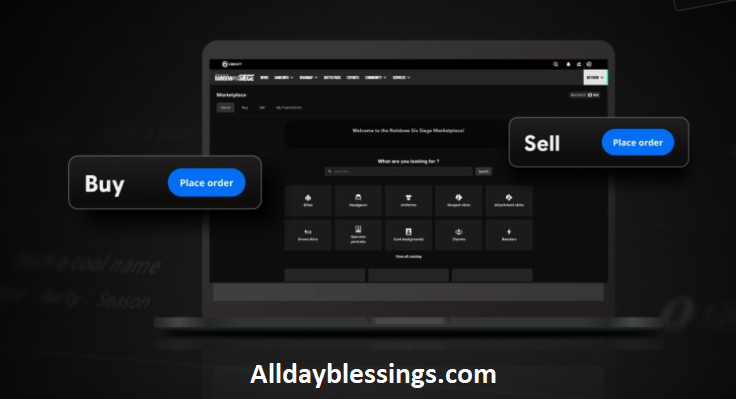
The marketplace uses a bid-ask model similar to stock trading. Here’s how the order system functions:
Buy Orders: You set the maximum price you’re willing to pay for an item. The system automatically matches you with the lowest available seller at or below your price.
Sell Orders: You set the minimum price you’ll accept. When a buyer places an order at your price or higher, the transaction completes automatically.
This price matching system ensures fair market value while giving players control over their trading decisions.
Why the R6 Marketplace Matters in 2026
The R6 Marketplace has matured significantly since launch. In 2026, the platform includes enhanced dynamic price limits, better mobile support, and expanded tradable items. This R6 cosmetic trading system finally gives Rainbow Six Siege a competitive economy like those in CS2 and the Steam Community Market.
R6 Marketplace Requirements: Who Can Access It?
Not every player can immediately access the Rainbow Six trading platform. Ubisoft has specific eligibility criteria to protect the marketplace from fraud and abuse.
Mandatory Requirements for R6 Marketplace Login
| Requirement | Details | Why It Matters |
|---|---|---|
| Clearance Level 25 | Must reach level 25 in Rainbow Six Siege | Ensures active, legitimate players |
| Two-Factor Authentication (2FA) | Must enable 2FA on Ubisoft account | Security against account hijacking |
| Account in Good Standing | No active bans or sanctions | Prevents misuse of trading system |
| XP-Granting Match | Play one match after meeting requirements | Syncs profile with marketplace |
How to Enable Two-Factor Authentication (2FA)
Two-factor authentication is mandatory for R6 Marketplace access. Here’s how to set it up:
- Visit your Ubisoft account security settings
- Navigate to the Security tab
- Select “Enable 2-Step Verification”
- Choose your preferred method (authenticator app, SMS, or email)
- Complete the verification process
- Confirm 2FA is active
Without 2FA, you cannot access the marketplace or place orders, regardless of your clearance level.
Why Level 25 Clearance Matters
The clearance level 25 requirement ensures that only engaged players participate in R6 trading. This threshold typically takes 20-30 hours of gameplay to reach, which helps filter out:
- Bot accounts
- Temporary accounts created for exploits
- Players unfamiliar with the game’s economy
- Accounts potentially created for credit laundering
If you meet all requirements but still can’t access the R6 Marketplace, play one multiplayer match that grants XP. This forces a profile sync with Ubisoft’s servers.
How to Access the R6 Marketplace (Step-by-Step)
Accessing the marketplace is straightforward once you meet the requirements. The platform primarily operates through a web interface rather than the in-game menu.
Desktop Access Method
- Open your web browser
- Visit the official Rainbow Six Siege marketplace website
- Click “Sign In” and enter your Ubisoft credentials
- Complete 2FA verification when prompted
- You’ll land on the marketplace homepage
In-Game Access Points
Rainbow Six Siege provides several entry points to the trading hub:
- Navigate to the Operators menu
- Select any operator
- Click the “Marketplace” icon near customization options
- The game opens your default browser to the marketplace website
Ubisoft Connect Access
You can also reach the R6 Marketplace through Ubisoft Connect:
- Open Ubisoft Connect application
- Select Rainbow Six Siege
- Look for the “Marketplace” tab
- Click to launch the web interface
Mobile Access in 2026
The 2026 version of the Rainbow Six Siege Marketplace includes improved mobile optimization. Access the same website on your smartphone for buying and selling on the go. The responsive design adapts to smaller screens while maintaining full functionality.
Understanding R6 Credits: The Marketplace Currency
R6 Credits are the exclusive currency for marketplace transactions. Understanding how they work is essential for successful R6 trading.
How R6 Credits Work
- Credits remain within the Ubisoft ecosystem
- Cannot be converted to real money
- Used for both marketplace transactions and in-game store purchases
- Purchased through official channels only
Purchasing R6 Credits Safely
Always buy R6 Credits through legitimate sources:
- Official Ubisoft store
- In-game store interface
- Authorized platform storefronts (Steam, Epic, console stores)
Warning: Third-party credit sellers often use stolen payment methods. Accounts caught using unauthorized credits face permanent bans.
R6 Credits vs Real Money
The marketplace never involves direct cash transactions between players. This closed-loop system provides several benefits:
- No chargebacks or payment disputes
- Reduced fraud risk
- Simpler tax implications
- Consistent pricing across regions
What Items Can You Trade on the R6 Marketplace?
Not all Siege cosmetics are tradable items. Ubisoft restricts certain categories to maintain game balance and protect exclusive content.
Complete List of Tradable Items
Weapon Cosmetics:
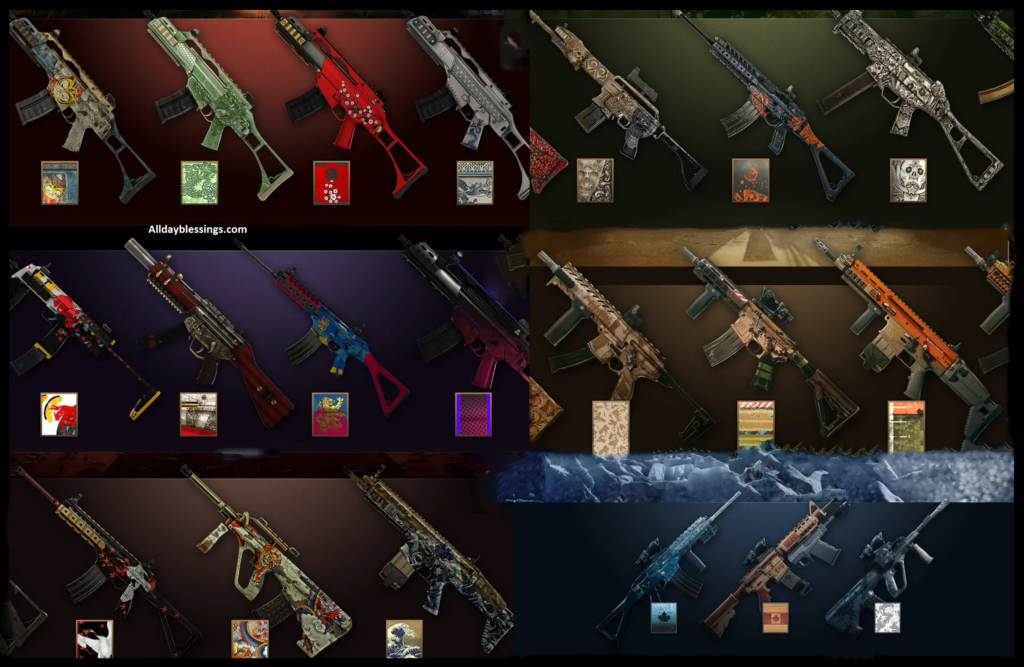
- Weapon skins (including legendary Black Ice and Glacier skin)
- Attachment skins (scopes, grips, barrels)
- Seasonal weapon bundles
Operator Customization:
- Operator uniforms
- Headgear
- Operator portraits
Miscellaneous Items:
- Charms (weapon charms and trinkets)
- Card backgrounds (player card customization)
- Drone skins
Items That Cannot Be Traded
Several categories remain non-tradable:
- Current season items (become tradable next season)
- Elite skins with special animations
- Promotional items from partnerships
- Battle Pass exclusive rewards
- Items obtained through Alpha Packs in some cases
- Certain event-limited cosmetics
Understanding Item Eligibility
If an item you own doesn’t appear in your sell inventory, it falls into one of these categories:
- Season Restriction: Items from the current season aren’t tradable until the next season launches
- Promotional Lock: Special partnership or promotion items
- Exclusive Status: Marked as permanent collection items
- Legal Restrictions: Licensed content that cannot be resold
How to Buy Items on the R6 Marketplace (Complete Guide)
Buying on the R6 Marketplace involves creating buy orders and understanding the matching system. Here’s your complete guide to securing the cosmetics you want.
Step-by-Step Buying Process
Step 1: Browse Available Items
Navigate to the “Buy” tab in the marketplace. You’ll see categories including:
- Weapon Skins
- Uniforms
- Headgear
- Charms
- And more
Use filters to narrow your search by operator, weapon type, rarity, or season.
Step 2: Analyze Price Data
Before placing an order, examine the item’s price history:
- Current minimum sell price
- Current maximum buy price
- 7-day price trend
- 30-day average
- Recent transaction volume
This data helps you determine fair market value and avoid overpaying.
Step 3: Create Your Buy Order
- Select the desired item
- Enter your maximum bid (the highest price you’ll pay)
- Review the transaction fee details
- Confirm your order
- Your R6 Credits are held in escrow
Step 4: Wait for Price Matching
The system now searches for sellers. Three outcomes are possible:
- Instant match: A seller already listed at or below your price
- Delayed match: You wait in queue until a matching seller appears
- Order expiration: Your order expires after 30 days if unfilled
Advanced Buying Strategies for 2026
Timing Your Purchases
Market psychology plays a huge role in R6 skin trading:
- Season End Surge: Prices drop when new seasons release and previous season items become tradable
- Event Hype: Popular streamer showcases can spike demand
- Weekend Patterns: More sellers list items on weekends
- Holiday Sales: In-game sales affect marketplace prices
Price Limit Considerations
The marketplace uses dynamic price limits that adjust based on recent transactions. If your offer falls outside current limits, you’ll need to adjust or wait for the limits to shift.
Setting Competitive Bids
For popular items like Black Ice, consider:
- Bidding 5-10% above current minimum to secure faster matches
- Watching price trends for 2-3 days before placing orders
- Avoiding emotional bidding during hype cycles
Order Limits and Restrictions
The order system includes several caps:
| Limit Type | Maximum Allowed |
|---|---|
| Active Buy Orders | 5 simultaneously |
| Completed Purchases | 20 per 24 hours |
| Order Duration | 30 days before expiration |
How to Sell Items on the R6 Marketplace (Maximize Your Profits)
Selling items effectively requires understanding the transaction fee, pricing strategy, and market timing. Here’s how to turn your unwanted cosmetics into R6 Credits.
Step-by-Step Selling Process
Step 1: Access Your Tradable Inventory
Navigate to the “Sell” tab. Only tradable items appear here. Items are organized by:
- Category (weapons, uniforms, charms)
- Rarity tier
- Acquisition date
- Current market demand
Step 2: Check Market Conditions
Before listing, research similar items:
- View current sell prices
- Check recent transaction history
- Note supply levels (many sellers = lower prices)
- Identify demand trends
Step 3: Set Your Asking Price
Pricing considerations:
- Market Rate: Check what similar items sold for recently
- Competition: Count active sell orders at various price points
- Urgency: Need credits fast? Price below market average
- Patience: Want maximum value? Price at or above average
Remember: You’ll receive 90% of your asking price after the 10% transaction fee.
Step 4: Create Your Sell Order
- Select the item from your inventory
- Enter your minimum asking price
- Review the fee breakdown
- Confirm the listing
- Your item immediately leaves your inventory
Step 5: Manage Active Listings
Check “My Transactions” to:
- Monitor order status
- Adjust prices on active listings
- Cancel unfilled orders
- Track completed sales
Understanding the 10% Transaction Fee
The transaction fee is non-negotiable and serves important purposes:
Example Calculation:
- You list a weapon skin for 1,000 R6 Credits
- A buyer purchases at your asking price
- Ubisoft deducts 100 credits (10%)
- You receive 900 credits
This fee prevents artificial inflation and discourages exploitative flipping.
The 15-Day Cooldown Period
Any item you buy from the marketplace has a 15-day cooldown before you can sell it again. This restriction:
- Prevents rapid arbitrage (buy low, immediately resell high)
- Stabilizes market prices
- Reduces bot activity
- Encourages genuine collecting over speculation
Selling Limits
Like buying, selling has restrictions:
- 5 active sell orders maximum
- 20 completed sales per 24-hour period
- 30-day listing duration before expiration
Pro Selling Tips for 2026
Seasonal Selling Strategy
The best time to sell certain items:
- Pre-Season: Demand peaks for current season cosmetics before they become tradable
- Post-Event: Event-specific items often spike after events end
- Operator Buffs: Cosmetics for buffed operators increase in value
- Esports Influence: Team-related cosmetics surge during major tournaments
Competitive Pricing
Undercut competitors strategically:
- For common items: 5-10% below average
- For rare items: Match or slightly exceed market rate
- For Black Ice or other prestige items: Premium pricing works
Volume vs. Value
Decide your approach:
- Volume: List multiple lower-value items quickly
- Value: Wait for premium prices on rare cosmetics
- Mixed: Balance both strategies
R6 Marketplace Fees, Limits, and Transactions
Understanding all fees and limitations prevents surprises and helps you maximize your R6 trading success.
Complete Fee Breakdown
| Fee Type | Amount | Applied To |
|---|---|---|
| Transaction Fee | 10% | Seller only |
| Listing Fee | None | Free to list items |
| Cancellation Fee | None | Cancel anytime before match |
| Purchase Fee | None | Buyers pay listed price only |
Transaction Limits Table
| Limit Category | Restriction | Purpose |
|---|---|---|
| Active Buy Orders | 5 maximum | Prevents order spam |
| Active Sell Orders | 5 maximum | Maintains inventory management |
| Daily Purchases | 20 maximum | Limits market manipulation |
| Daily Sales | 20 maximum | Prevents automated botting |
| Order Duration | 30 days | Keeps listings current |
| Resale Cooldown | 15 days | Stops quick flipping |
How Transactions Complete
When price matching occurs:
- System identifies compatible buy and sell orders
- Credits transfer automatically
- 10% fee deducts from seller’s proceeds
- Item transfers to buyer’s inventory
- Both parties receive transaction confirmation
- Order moves to transaction history
The entire process happens instantly without manual intervention.
Dynamic Price Limits Explained
Dynamic price limits prevent extreme price manipulation. Here’s how they work:
- Minimum and maximum prices adjust based on recent sales
- Every completed transaction influences the limits
- Limits can change at any time
- Old orders outside new limits remain active but may take longer to match
- Updating an order price must fit current limits
This system ensures community trading drives market value while preventing outlier exploitation.
R6 Marketplace vs Other Trading Platforms (2026 Comparison)
How does the R6 Marketplace compare to alternatives like the Steam Community Market, third-party sites, or CS2 and Dota 2 trading?
Official R6 Marketplace vs Steam Market
| Feature | R6 Marketplace | Steam Community Market |
|---|---|---|
| Currency | R6 Credits only | Steam Wallet funds |
| Cash Out | No | Limited (Steam funds) |
| Fee | 10% flat | 5% Steam + game fee |
| Security | Built-in 2FA | Steam Guard required |
| Game Integration | Direct | Separate platform |
| Item Variety | Cosmetics only | Any tradable item |
Official vs Third-Party R6 Trading Sites
Why Official is Safer:
Third-party trading sites pose serious risks:
- Violates Ubisoft Terms of Use
- Account bans common
- Scams and fraud prevalent
- No buyer protection
- Stolen credentials risk
- Potential credit card fraud
The official marketplace eliminates these dangers through:
- Built-in security measures
- Ubisoft-backed transactions
- No direct cash exchange
- Dispute resolution support
- TOS compliance
Warning: Never use unauthorized marketplaces, account sellers, or credit resellers. The official R6 Marketplace is the only sanctioned trading method.
R6 vs CS2/Dota 2 Trading
Rainbow Six Siege entered the trading economy later but learned from competitors:
Advantages of R6 System:
- Simpler currency (credits vs. multiple systems)
- Better fraud protection
- More transparent pricing
- Clearer fee structure
- Integrated mobile support (2026)
Advantages of CS2/Dota 2:
- Longer market history
- Larger trading volumes
- More sophisticated third-party tools
- Steam Wallet flexibility
Trading Tips & Strategies: Master the R6 Marketplace in 2026
Want to become an expert trader? These strategies help you buy smart and sell profitably.
Market Psychology and Timing
Understanding Demand Cycles
Certain factors drive cosmetic prices:
Operator Meta Shifts: When operators get buffed, their cosmetics become more desirable. Watch patch notes and pro league picks.
Streamer Influence: Popular content creators showcasing specific weapon skins or uniforms can spark demand spikes.
Seasonal Rotation: End-of-season sales and new season hype create predictable price movements.
Event FOMO: Limited-time events make related cosmetics more valuable after they conclude.
Investment Strategies for Collectors
Long-Term Holds
Some items appreciate over time:
- Black Ice variants (classic prestige items)
- Discontinued event cosmetics
- First-season operator uniforms
- Rare charms from early seasons
Flip Trading
Buy undervalued items and resell when demand increases (remember the 15-day cooldown):
- Identify seasonal cosmetics just becoming tradable
- Purchase at initial high supply / low price
- Wait for supply to decrease
- Sell during demand spikes
Price Tracking Tools and Methods
Manual Tracking
Create a spreadsheet to monitor:
- Target items and their current prices
- Price history over 7, 14, and 30 days
- Transaction volume trends
- Season correlation data
Community Resources
While unofficial, some community sites aggregate marketplace data:
- Price history charts
- Volume indicators
- Rarity databases
- Trade calculators
Always verify data independently and never share account credentials with third-party tools.
Avoiding Common Mistakes
Don’t:
- Overpay during hype cycles
- List items impulsively without research
- Ignore the 10% transaction fee in calculations
- Chase every market trend
- Use unauthorized trading sites
- Share account information
- Bypass 2FA for convenience
Do:
- Research before every transaction
- Set patient, realistic prices
- Diversify your cosmetic portfolio
- Track your transaction history
- Enable all security features
- Stay within Ubisoft’s Terms of Use
Most Valuable Items: What’s Hot in 2026?
Understanding which Siege cosmetics command premium prices helps you make informed trading decisions.
Top-Tier Tradable Items
Legendary Weapon Skins
Black Ice: The most iconic weapon skin family in Rainbow Six Siege. Any Black Ice variant commands premium prices due to:
- Discontinued availability through regular channels
- Community prestige
- Clean, professional aesthetic
- Universal desirability
Glacier: Another premium skin family with similar prestige to Black Ice.
Seasonal Skins: Limited-time seasonal weapon skins from early game years often fetch high prices.
Rare Operator Cosmetics
Elite Uniforms and Headgear
While complete Elite skins with animations aren’t tradable, individual components from older elite sets sometimes are. These carry value due to:
- Limited original availability
- Operator popularity
- Visual uniqueness
Pro League Sets
Team-affiliated cosmetics surge in value during:
- Major tournament periods
- Team victory celebrations
- Roster changes featuring popular players
Charm Economics
Charms might seem minor, but rare variants hold value:
- First season charms
- Event-exclusive designs
- Meme-worthy community favorites
- Discontinued promotional items
Troubleshooting: R6 Marketplace Not Working?
Encountering issues with the marketplace? Here are solutions to common problems.
“Can’t Access R6 Marketplace”
Possible Causes and Fixes:
Issue: “Marketplace unavailable” message
Solutions:
- Verify you’ve reached clearance level 25
- Confirm 2FA is enabled and active
- Play one multiplayer match to sync your profile
- Check for active account sanctions
- Ensure your game client is fully updated
Issue: “R6 Marketplace not loading”
Solutions:
- Clear browser cache and cookies
- Try a different browser
- Disable VPN if active
- Check Ubisoft server status
- Update Ubisoft Connect client
“Can’t Sell Items R6 Marketplace”
Why Items Don’t Appear in Sell Tab:
- Item is from current season
- Item marked as non-tradable by Ubisoft
- Item recently purchased (check 15-day cooldown)
- Item obtained through non-tradable source
- Technical sync issue
Solutions:
- Wait until next season for current items
- Check item details for tradability status
- Verify cooldown period hasn’t expired
- Restart game and re-sync inventory
- Contact Ubisoft support if persistent
Order Not Completing
Buy Order Sitting Unfilled?
- Your price may be below all active sellers
- Item has low supply / high demand
- Your bid falls outside dynamic price limits
- Consider adjusting your offer price
Sell Order Not Moving?
- Price likely above market rate
- High competition from other sellers
- Low current demand for the item
- Try lowering your asking price by 5-10%
Transaction Errors
“Transaction Failed” Messages:
- Check R6 Credits balance sufficient for purchases
- Verify you haven’t hit daily transaction limits
- Ensure no active sanctions on your account
- Contact Ubisoft support with error code
Security: Protecting Your Account and Credits
The R6 Marketplace requires vigilant security practices. Your entire cosmetic collection could be lost through compromised accounts.
Essential Security Measures
Two-Factor Authentication is Non-Negotiable
Beyond marketplace access, 2FA protects:
- Your entire inventory from theft
- R6 Credits from unauthorized spending
- Personal information
- Account recovery options
Strong Password Practices
- Use unique password for Ubisoft account
- Enable password manager
- Change passwords every 3-6 months
- Never share credentials
- Use 12+ character complex passwords
Recognizing Scams
Common R6 Marketplace Scams:
Phishing Attempts: Fake emails claiming marketplace issues requiring login
- Red Flag: Unofficial email addresses
- Protection: Only log in through official Ubisoft sites
“Cheap Credits” Sellers: Third-party sites offering discounted R6 Credits
- Red Flag: Prices significantly below official rates
- Consequence: Account bans, stolen payment info
Account Trading: Purchasing accounts with rare cosmetics
- Red Flag: Any account sale violates Ubisoft TOS
- Consequence: Permanent ban, lost money
“Duplication Glitch” Claims: Offers to duplicate items or credits
- Red Flag: No legitimate duplication methods exist
- Consequence: Account sanctions, scam victim
What Ubisoft Monitors
Automated systems flag suspicious behavior:
- Rapid buy/sell patterns suggesting botting
- Unusual credit transfers
- VPN or location changes
- Coordinated price manipulation
- Terms of Use violations
Legitimate trading never triggers these systems. Only manipulative behavior faces scrutiny.
If Your Account is Compromised
Immediate Steps:
- Change your password immediately
- Enable or reset 2FA
- Contact Ubisoft support
- Document any unauthorized transactions
- Check “My Transactions” for unfamiliar activity
Recovery Process:
Ubisoft support can help recover accounts, but:
- Lost items may not be recoverable
- Process takes time
- Prevention is far easier than recovery
R6 Marketplace FAQ: Your Questions Answered
Is the R6 Marketplace safe?
Yes, the official R6 Marketplace is completely safe when used properly. It’s operated by Ubisoft with built-in security measures including 2FA requirements, transaction limits, and no direct cash exchange. Only third-party, unauthorized trading sites pose risks.
How much are R6 Credits?
R6 Credits pricing varies by region and purchase volume. Typical packages range from $4.99 for 600 credits to $99.99 for 16,000 credits. Only purchase through official Ubisoft channels.
When did R6 Marketplace launch?
The R6 Marketplace launched in 2024 with the Siege X update. It has since expanded with additional features, mobile optimization, and the dynamic price limits system introduced in 2025.
Can you make real money from R6 Marketplace?
No. R6 Credits cannot be converted to real money or withdrawn from the Ubisoft ecosystem. The marketplace operates as a closed-loop economy exclusively for cosmetic trading within Rainbow Six Siege.
Why is there a 10% transaction fee?
The 10% transaction fee serves multiple purposes: prevents artificial inflation, discourages exploitative flipping, funds marketplace infrastructure, and keeps trading purposeful rather than speculative.
What is the R6 Marketplace cooldown period?
The 15-day cooldown prevents you from reselling any purchased item for 15 days after acquisition. This restriction stabilizes market prices and reduces rapid arbitrage opportunities.
Can all items be traded on R6 Marketplace?
No. Only specific categories are tradable items. Current season cosmetics, certain Elite skins, promotional items, and some Battle Pass rewards cannot be traded. Items must be specifically marked as tradable.
How long do marketplace orders last?
All orders expire after 30 days if unfilled. You can cancel orders anytime before matching occurs, and expired orders remain in your history for easy reposting.
What happens if I violate marketplace rules?
Violations of Ubisoft’s Terms of Use can result in temporary or permanent marketplace restrictions, account sanctions, or complete bans depending on severity. Common violations include using third-party trading sites, credit fraud, and price manipulation.
Can I trade with friends directly?
No. The R6 Marketplace doesn’t support direct player-to-player trades. All transactions go through the public order system with price matching. This prevents exploitation and maintains market integrity.
Why can’t I see some items in my sell tab?
Items missing from your sell inventory are either: not yet tradable (current season), marked as non-tradable by Ubisoft, under the 15-day cooldown, or obtained through sources that don’t permit trading.
How do I get Black Ice skins?
Black Ice is primarily available through Alpha Packs or the marketplace. Since they’re highly sought-after, expect premium prices on the trading platform. Set patient buy orders and monitor price trends.
Can I cancel a marketplace order?
Yes, you can cancel any active buy or sell order before it matches through the “My Transactions” page. After matching completes, transactions are final and non-refundable.
Are there regional restrictions?
The R6 Marketplace is available globally where Rainbow Six Siege operates, but regional pricing differences may apply. Dynamic price limits are universal across regions.
What’s the difference between R6 Store and Marketplace?
The R6 Store sells new items directly from Ubisoft using R6 Credits. The marketplace is a player-to-player trading hub for previously owned cosmetics. Store items are fixed price; marketplace prices fluctuate with supply and demand.
2026 Marketplace Predictions and Trends
Looking ahead, several trends will shape the R6 Marketplace throughout 2026.
Expected Feature Updates
- Enhanced Mobile Experience: Ubisoft continues optimizing the mobile marketplace interface, making trading more accessible on smartphones and tablets.
- Advanced Analytics: Improved price tracking tools and historical data visualization help traders make informed decisions.
- Expanded Tradable Categories: More cosmetic types may become tradable as the system matures and proves stable.
- Regional Events: Geographic-specific trading events or promotions could create unique market opportunities.
Market Predictions
Popular Item Trends
- Black Ice variants will maintain premium status
- Early season cosmetics continue appreciating
- Operator-specific items fluctuate with meta changes
- Event cosmetics spike post-event as supply diminishes
Economic Shifts
- Increased trading volume as more players reach clearance level 25
- Price stabilization as the market matures
- More sophisticated community trading strategies
- Potential for seasonal trading events or promotions
Community Growth
The R6 trading community will likely expand with:
- More educational content from experienced traders
- Community-created price tracking tools
- Trading strategy guides and market analysis
- Increased focus on cosmetic collection as gameplay element
Advanced Trading: Building Your Dream Collection
The R6 Marketplace is more than a transactional tool—it’s a way to express your Rainbow Six Siege identity through curated cosmetics.
Collection Planning Strategies
Define Your Theme
Successful collectors focus their efforts:
- Single Operator Main: Collect all cosmetics for your favorite operator
- Color Coordination: Build matching weapon skins, uniforms, and charms
- Historical Collection: Acquire items from specific seasons or events
- Prestige Items: Focus exclusively on rare, valuable pieces
Budget Management
Even with R6 Credits instead of real money, budgeting matters:
- Allocate credits across multiple target items
- Balance impulse purchases with strategic investments
- Save credits for seasonal releases
- Don’t empty your balance on single items
Completing Sets
Many cosmetics are part of themed sets. Completing entire collections often provides satisfaction beyond individual item value:
- Seasonal weapon bundles
- Event-themed uniforms and headgear
- Operator-specific charm collections
- Team-affiliated esports cosmetics
Track set completion in a personal spreadsheet, noting owned items, missing pieces, and target prices.
The Psychology of Collecting
Why does cosmetic collection matter in a competitive shooter?
- Personal Expression: Your operator’s appearance reflects your personality and playstyle preferences.
- Achievement Display: Rare cosmetics showcase dedication and game knowledge.
- Community Status: Prestigious items like Black Ice earn recognition from other players.
- Investment Satisfaction: Watching your collection’s value grow over time provides long-term enjoyment.
The marketplace transforms passive cosmetic ownership into active curation, making you an architect of your Rainbow Six Siege identity.
Conclusion: Mastering the R6 Marketplace in 2026
The R6 Marketplace represents a major evolution for Rainbow Six Siege, bringing the game’s economy in line with other competitive shooters while maintaining Ubisoft’s commitment to security and fair play.
Whether you’re looking to buy that perfect weapon skin, sell unwanted cosmetics for R6 Credits, or build a prestigious collection, the marketplace offers tools for every type of trader. Success comes from understanding the order system, respecting the transaction fee, and approaching R6 trading with patience and research.
Remember these key principles:
- Always enable Two-Factor Authentication
- Reach clearance level 25 before accessing
- Only use the official Ubisoft Marketplace
- Research prices before placing orders
- Account for the 10% transaction fee and 15-day cooldown
- Stay within daily transaction limits
- Never use third-party trading sites
The R6 Marketplace will continue evolving throughout 2026 and beyond. As the trading platform matures, new opportunities will emerge for smart traders and dedicated collectors. Stay informed about game updates, watch market trends, and most importantly—enjoy the process of building a cosmetic collection that truly represents your Rainbow Six Siege journey.
Start trading today, and transform your unwanted items into the Siege cosmetics you’ve always wanted. The marketplace is waiting, and your dream Black Ice skin might be just one trade away.
Ready to start trading? Visit the official Rainbow Six Siege marketplace through your Ubisoft account, ensure your 2FA is active

I’m Watson, a faith-inspired writer passionate about sharing heartfelt blessings and uplifting words that bring peace, gratitude, and hope. Through my daily blessings, I aim to comfort the soul and inspire spiritual growth.